
You sit down at your home office desk each morning, but by noon, you’ve checked your phone 47 times, your neck aches, and you’ve accomplished half of what you planned. Despite remote work becoming permanent for millions, research reveals employees clock in 2.65 fewer hours while working from home, and many struggle with makeshift setups that hurt both productivity and health.
This guide reveals the seven critical issues destroying home office effectiveness and provides specific fixes that work in 2025. You’ll learn to identify what’s sabotaging your work-from-home productivity and get proven solutions to transform your home office setup from productivity killer to performance powerhouse.
Why Your Home Office is Failing (And How to Fix It)?

Your Ergonomics are Destroying Your Body (And Your Focus)

The Hidden Cost of Poor Posture

Work-related musculoskeletal problems affect approximately 469,000 workers across Britain, leading to 6.6 million lost working days and costing the economy £15 billion annually. Your makeshift work-from-home setup isn’t just uncomfortable; it’s creating long-term health issues that destroy productivity.
Your Monitor is in the Wrong Place
Poor monitor positioning forces you to lean forward, disrupting concentration and straining your neck. To fix home office ergonomics, position your screen at or slightly below eye level to reduce neck strain and maintain proper posture throughout the day.
The Kitchen Chair Problem
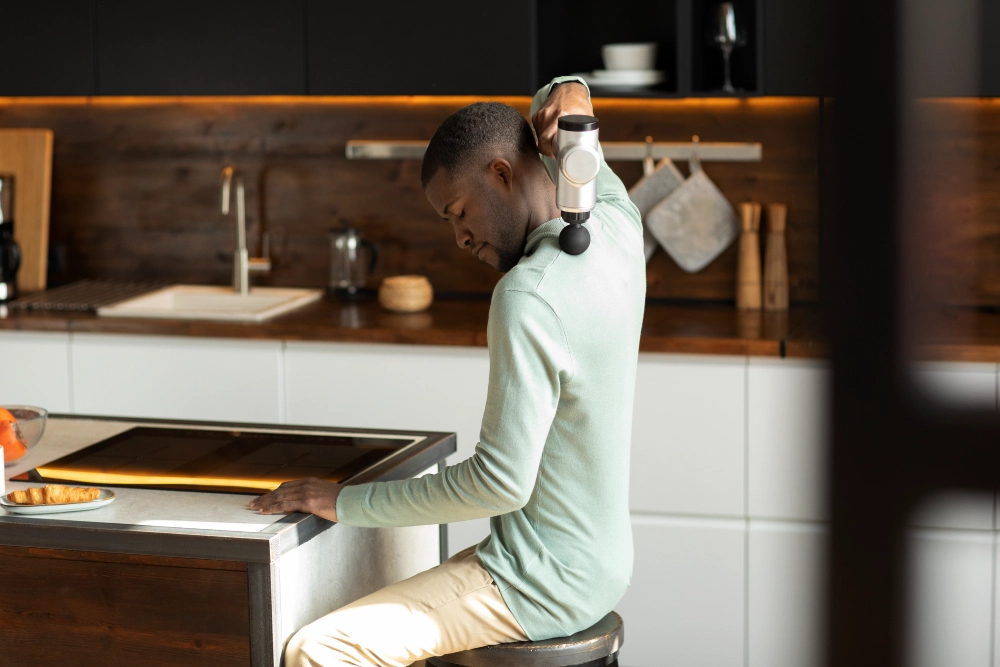
Kitchen chairs and dining tables create chronic neck strain and back pain. Proper home office ergonomics require a seat height that allows your feet to be flat on the floor and your thighs to be parallel to the ground; something your dining setup can’t provide.
Why Your Home Office Lighting Kills Productivity?
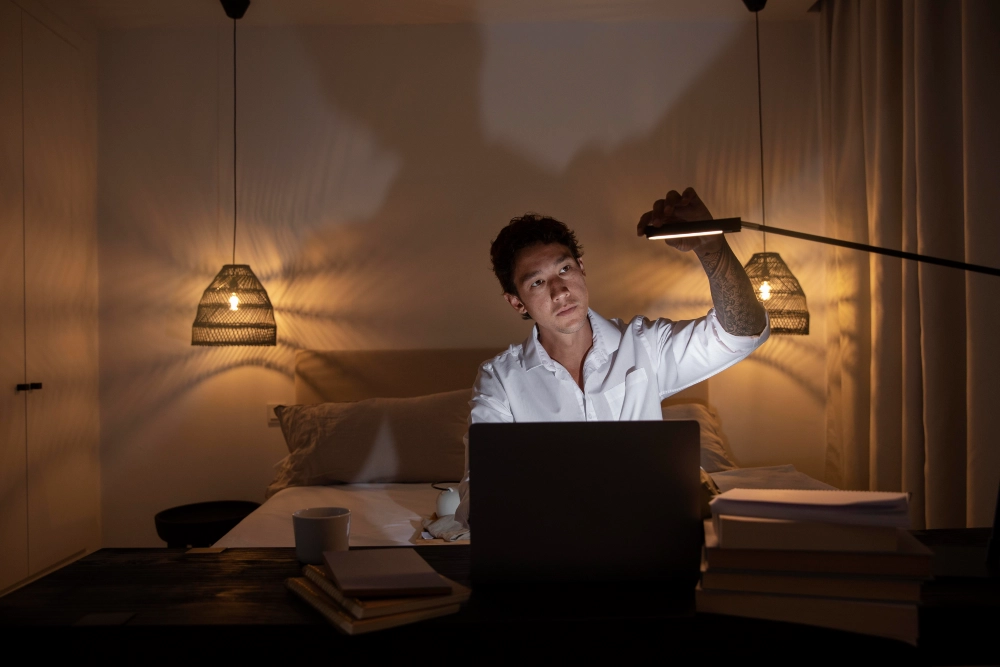
The Eye Strain Epidemic
Poor home office lighting can cause eye strain and headaches, leading to long-term damage. Computer Vision Syndrome affects most digital device users, with symptoms including blurred vision, headaches, and dry eyes that destroy work-from-home productivity throughout the day.
Your Light Sources Are Wrong

Never place your computer right in front of a window or directly under fluorescent lights. Overhead lighting creates glare and shadows that force your eyes to work harder, leading to fatigue and reduced focus.
The Color Temperature Solution
Natural light placement matters more than you think. Use 4000K to 5000K color temperature lighting to provide natural white light that feels both crisp and comfortable, reducing work-from-home problems caused by poor illumination.
How Office Clutter Steals Your Mental Energy?

Visual Chaos Destroys Focus
Visual clutter can distract you just as much as piles of paper, forcing your brain to work harder to filter out irrelevant information. Home offices often become the family dumping ground, creating work-from-home distractions that constantly pull your attention away from important tasks.
Digital Mess Matters Too

Digital clutter can be just as overwhelming as paper chaos. Cluttered desks correlate with decreased task completion, while disorganized computer files create the same mental drain as a physical mess.
The Decision-Making Drain
Messy environments affect your psychology, making simple decisions feel harder. To declutter home office spaces effectively, remember that 75% of office paperwork can be recycled; start there for immediate home office organization improvements.
Why Your Technology Choices Hurt More Than Help?

Single-Screen Struggle
Single-screen setups force constant switching between tabs, destroying productivity flow. Multi-screen setups reduce frustration, save time, and keep focus high by eliminating the mental friction of constant window juggling.
Laptop-Only Ergonomic Disaster

Laptop-only work creates ergonomic nightmares since laptop screens sit below eye level, promoting poor posture and neck strain. Your work-from-home equipment should separate screen height from keyboard position for a proper home office setup.
Cable Chaos and Connectivity Issues
Poor cable management creates visual chaos that disrupts focus, while inadequate internet speeds destroy flow states during critical work moments. Wireless solutions reduce desk clutter by 40%, creating cleaner home office tech environments that support sustained concentration.
Why Work-Life Balance is Impossible in Your Current Setup?

The Space-Sharing Problem
One big challenge is making a space that works for both work and personal life. Lack of physical separation affects mental switching, making it impossible to truly “leave” work, leading to the always-on” mentality that causes burnout.
Interruption Epidemic

Family interruptions disrupt deep work sessions and create constant distractions while working from home. Approximately one-third of employees report feeling burned out across all work arrangements, with 76% of remote workers working overtime or outside regular hours at least once a week.
The Boundary Solution
Clear work-from-home boundaries increase productivity by 25%. Physical separation between work and personal spaces helps your brain switch modes and maintain proper work-life balance.
How Your Workspace Design Drains Motivation

The Sterile Office Problem
Sterile environments reduce creativity and sap work-from-home motivation. Research shows biophilic design cuts down stress and boosts well-being, while natural elements increase productivity by 15% through improved focus and energy levels.
Color Psychology Impact

Color psychology affects mood and energy throughout your workday. Your home office design should energize rather than drain, using colors that support sustained focus and positive mental states during long work sessions.
Living Workspace Philosophy
Workspaces need not be stark and minimalist, but rather as alive and dynamic as the people who use them. Balance personal touches with professional appearance to create a productive workspace that feels both inspiring and appropriately business-focused.
The Hidden Ways Your Work Habits Undermine You

Missing Mental Transitions
Lack of transition rituals between home and work modes creates mental confusion. Your work-from-home routine needs clear start and stop signals to help your brain switch into productive focus mode.
Break Blindness

Missing breaks and movement opportunities destroy sustained performance. Take a 1- to 2-minute break every 20 to 30 minutes and follow the 20-20-20 rule: every 20 minutes, look at something 20 feet away for 20 seconds.
Schedule Chaos and Isolation
Inconsistent schedule patterns disrupt focus, while isolation affects motivation and accountability. Structured remote work habits improve home office productivity by 30% through predictable rhythms that support sustained high performance throughout your workday.
